
A clear title and description help explain what a page contains. Saving those values is one step; checking what the public page actually returns is another. A theme, cache or competing integration can affect the final response.
Prajesh SEO brings a content workspace, metadata review and on-demand public checks into WordPress. This guide covers version 1.0.2. It explains a practical review process, not a guarantee of Google rankings or indexing.
Before you start
- Use single-site WordPress 6.5 or later and PHP 8.2 or later.
- Install and activate Prajesh SEO, then open Prajesh SEO in the administration menu.
- Keep a current backup before changing site-wide settings or migrating metadata.
- If a known competing SEO plugin is active, resolve the conflict deliberately. Prajesh SEO pauses its output, sitemap filters, redirects and logging; it does not deactivate the other plugin.
Review changes on staging before applying a site-wide configuration. Do not remove another SEO plugin's data until your migration and public output have been checked.
1. Review your search appearance defaults
Open Search appearance. Review the site identity, title and description templates, social settings and supported structured-data settings. Use defaults that describe your actual organization or personal site.
Blank per-page overrides inherit the applicable templates. A saved indexing request is a directive, not confirmation that a search engine has indexed or removed a page.
2. Find the content that needs attention
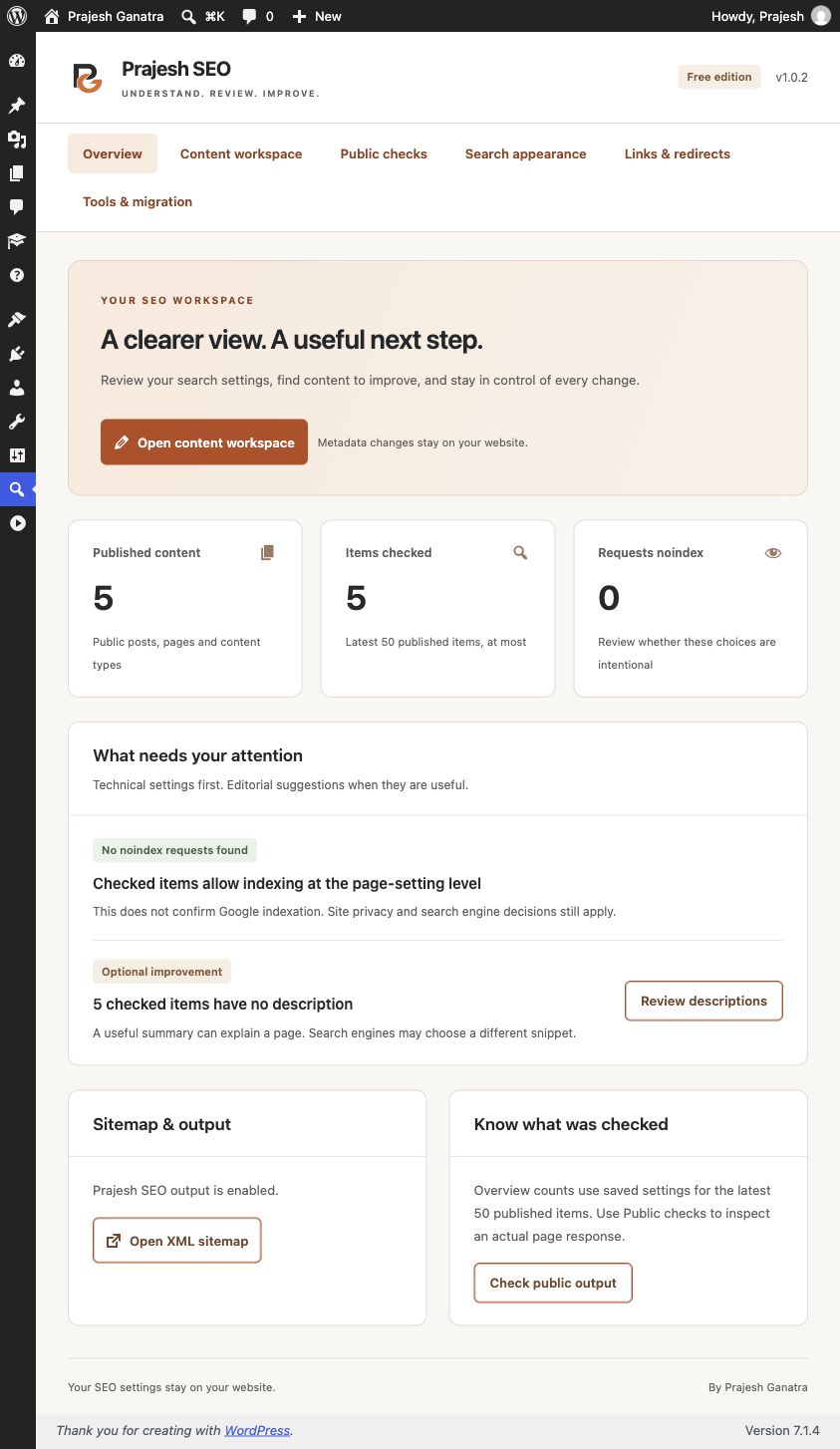
Open Content workspace and allow the editable content snapshot to load. Search by titles, metadata, content type, status or ID. The available filters include missing descriptions and requests for noindex.
Check the loaded-item message. Filters apply to that snapshot, and incomplete loading is labelled. Refresh after changes made elsewhere. Export filtered rows as CSV if your team needs to review them in a spreadsheet.
3. Review metadata changes before applying
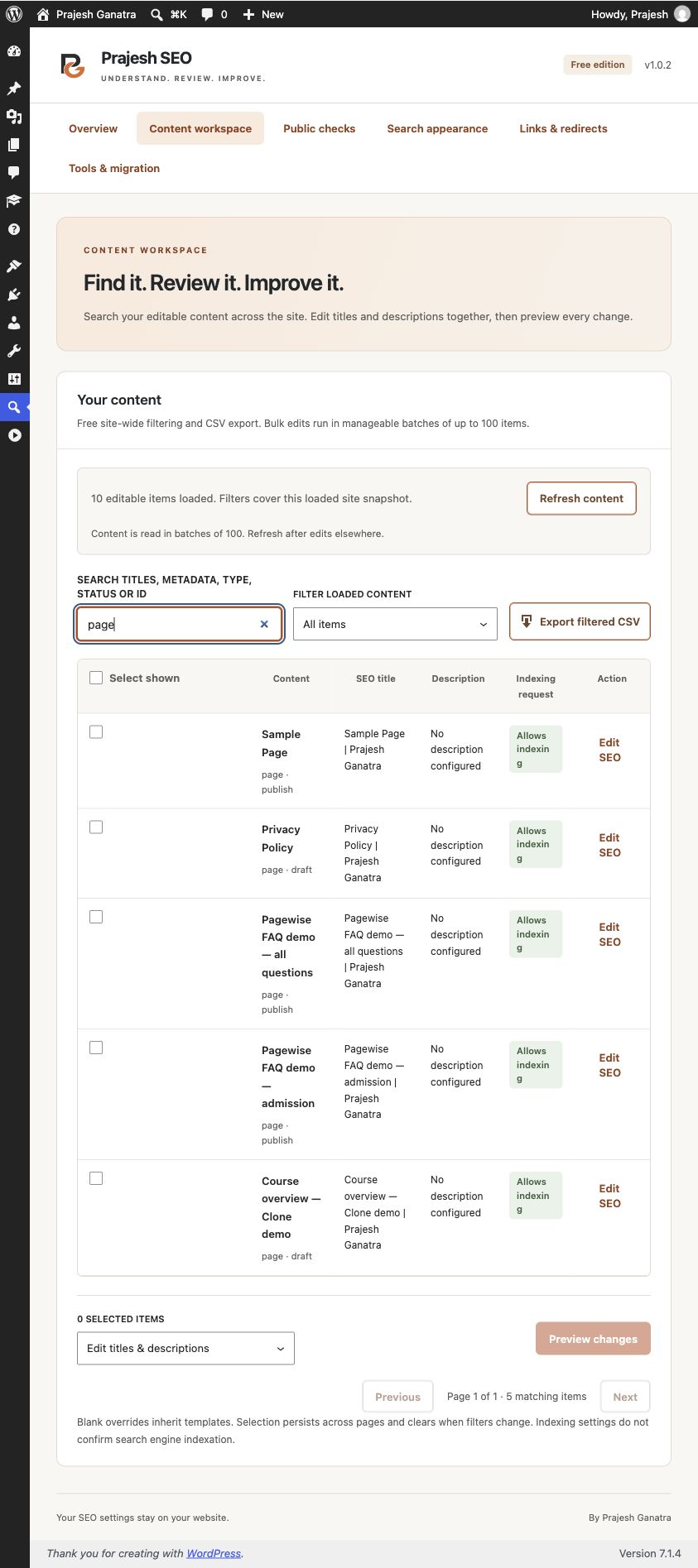
Select the intended records and choose the available title/description operation. Write a specific title and an accurate description for each page. For example, an admissions page should explain the actual application process rather than repeat generic keywords.
Prepare the preview and compare the proposed values with the saved overrides before explicitly applying the batch. A blank override can restore template inheritance. Previews expire after 15 minutes, and batches are bounded to 100 items per request.
The last metadata batch is stored per user for undo. Later edits are preserved. This does not restore global settings or redirects and does not replace a backup. Review your saved result before continuing to a larger set of pages.
4. Inspect a published page's public output
Open Public checks, choose a published, unprotected page you can edit and select Check public output. Review the returned title, description, canonical, robots directives and JSON-LD evidence.
Checks fetch one response from the exact site origin without login cookies, do not follow redirects or execute JavaScript, and inspect at most 512 KB. A blocked, redirected or incomplete response is not verified. A failed check is a reason to investigate the response, not proof that a page is unavailable to all visitors.
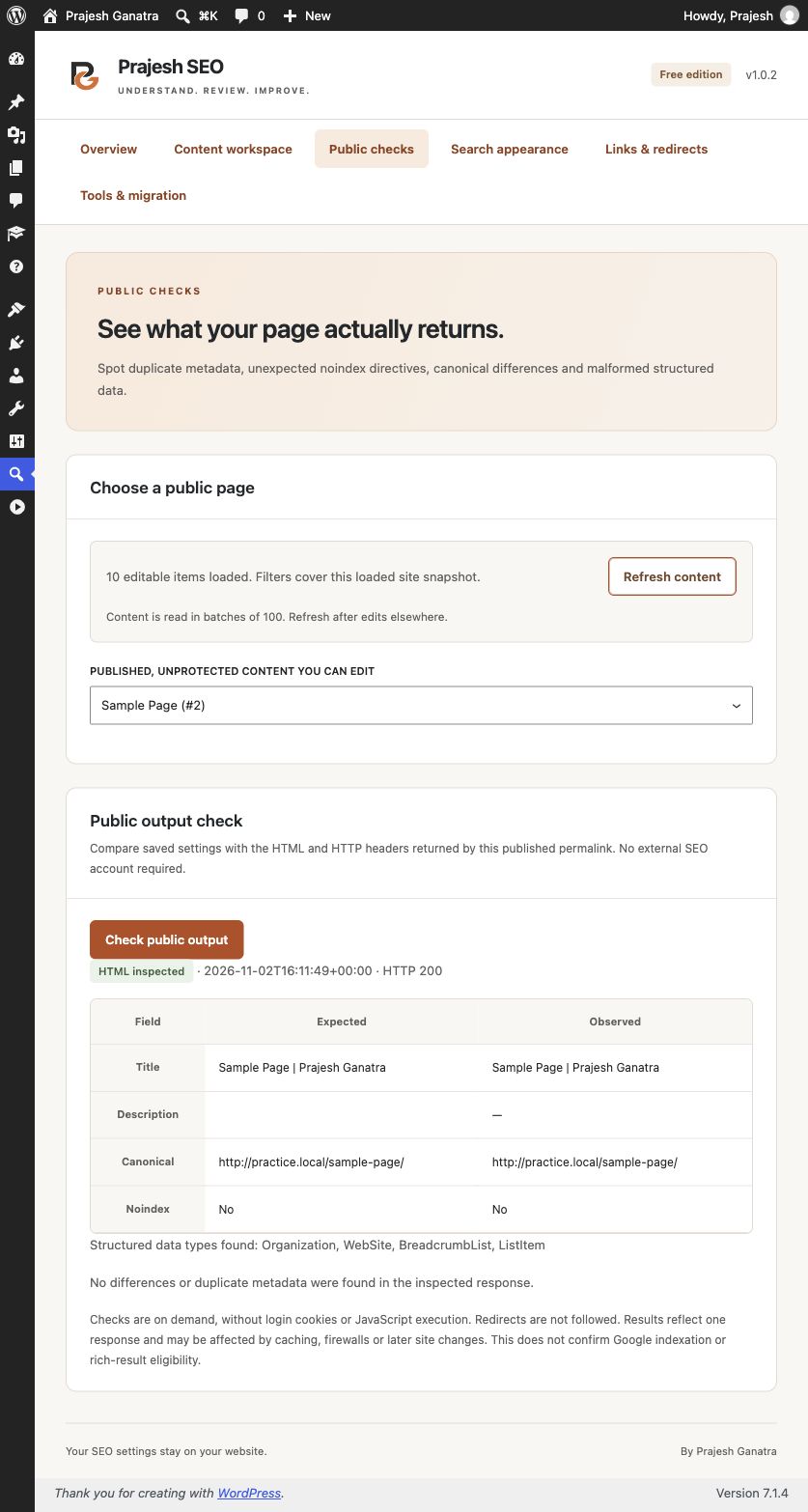
JSON-LD syntax checks are not a complete schema validator. No public check confirms Google indexing, rankings or rich-result eligibility. Use Search Console separately when you need Google's own indexing information.
5. Review sitemap and redirect essentials
Prajesh SEO integrates with the native WordPress XML sitemap. Review which eligible content should be public and discoverable. A sitemap helps describe available URLs; it does not guarantee indexing.
Under Links & redirects, add an exact-match local 301 or 302 rule only when there is a clear destination for an old path. Test the old and new URLs and avoid unrelated homepage redirects. Rules include loop checks, but you should still review the intended result.
Optional 404 logging stores sampled request paths locally, with a seven-day and 200-path bound. No IP, query string, user agent or referrer is stored, but paths can themselves contain personal data. Review the privacy implications before enabling logging.
Practical limits
This release does not include a taxonomy/archive SEO editor, Search Console integration, AI, redirect CSV tools or automatic JSON restoration. Migration previews cover up to 100 eligible records and a documented subset of Yoast or Rank Math post metadata; unsupported variables are skipped and source metadata is not deleted. Review global templates and schema manually.
No vendor account or telemetry is required. Settings, previews, undo records, logs and verification reports stay on your site. Consult the plugin details and directory readme for retention and uninstall options.