
Free WordPress plugin / By Prajesh Ganatra
See what is missing. Know what to fix.
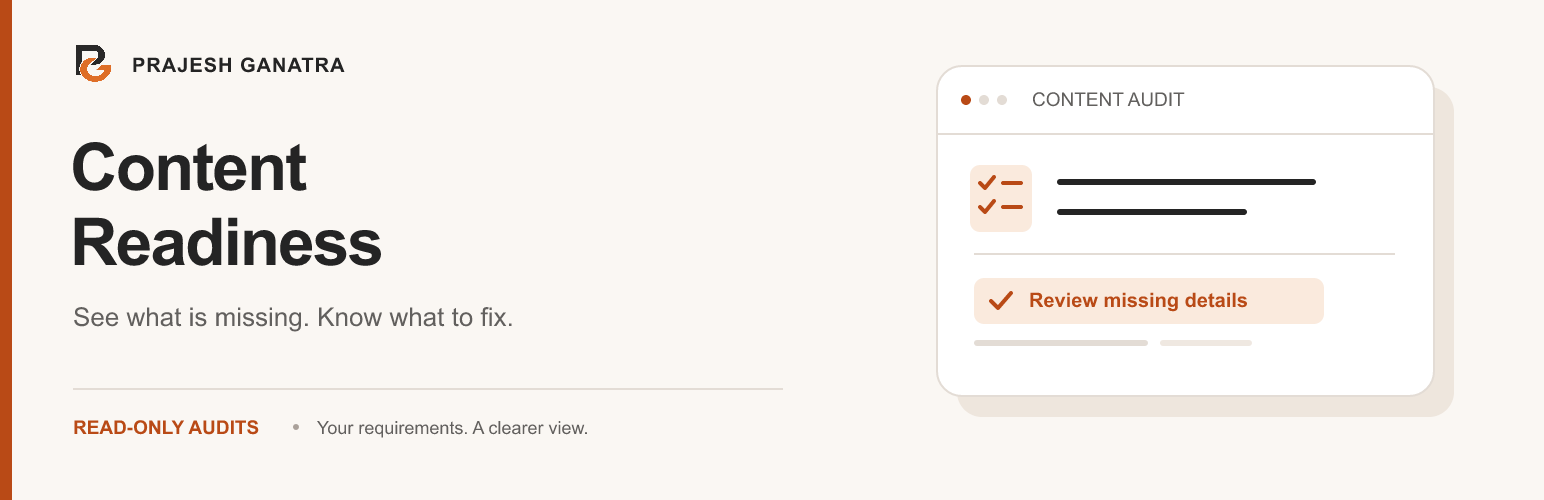
Find missing saved values across posts, pages and supported custom post types. Define requirements, review a compact audit grid and follow editing links to the records that need attention.
For content editors, marketing teams and agencies maintaining WordPress content collections.
A familiar problem
Built around the way
you manage content.
A page can have a title and still be missing a brochure URL, featured image or required custom field. Review supported saved values across a collection instead of opening every record to check it manually.
- Set requirements per content type, with optional exact-value conditions.
- Filter missing details, save personal views and recheck selected records.
- Download an issues report as CSV. Audits do not change or publish content.
Getting started
A straightforward workflow.
- 01
Define your requirements
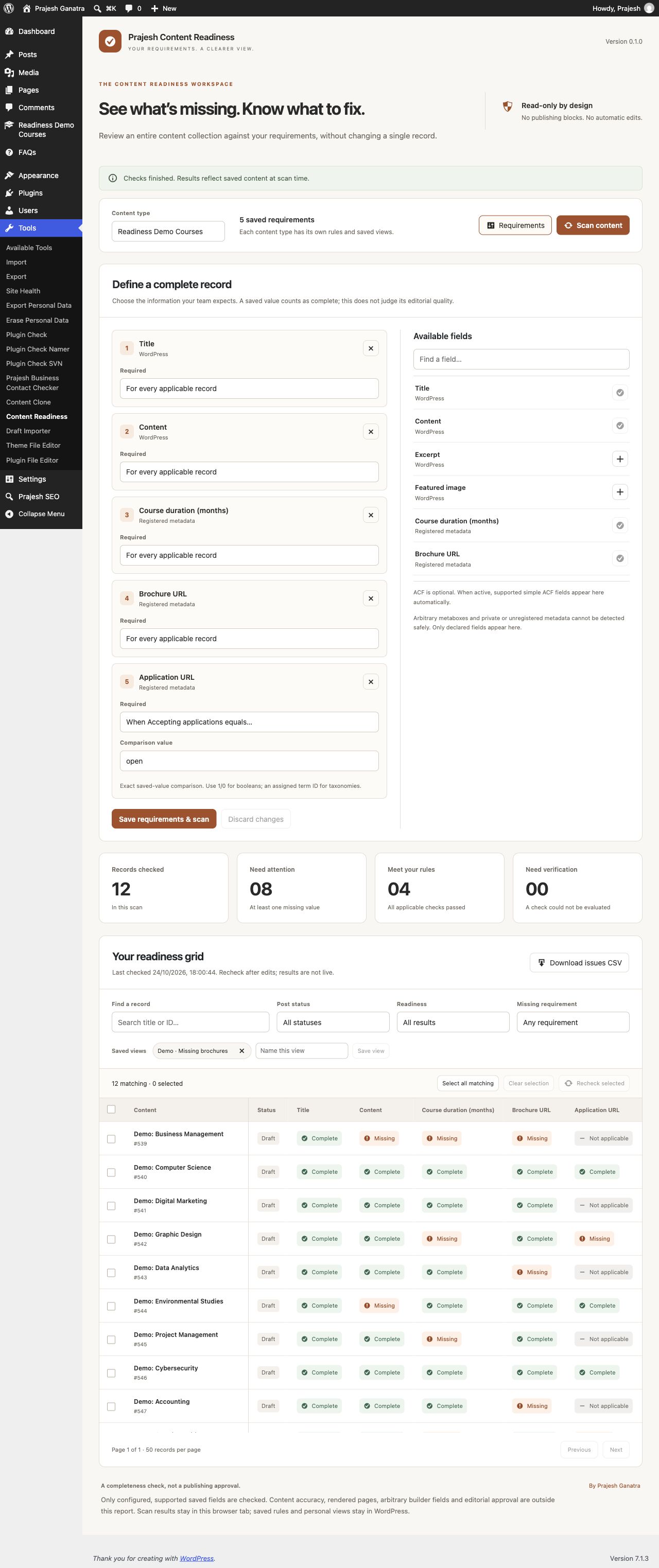
Open Tools → Content Readiness and choose a content type. Add supported fields, set any exact-value conditions and save your requirements.
- 02
Scan and review
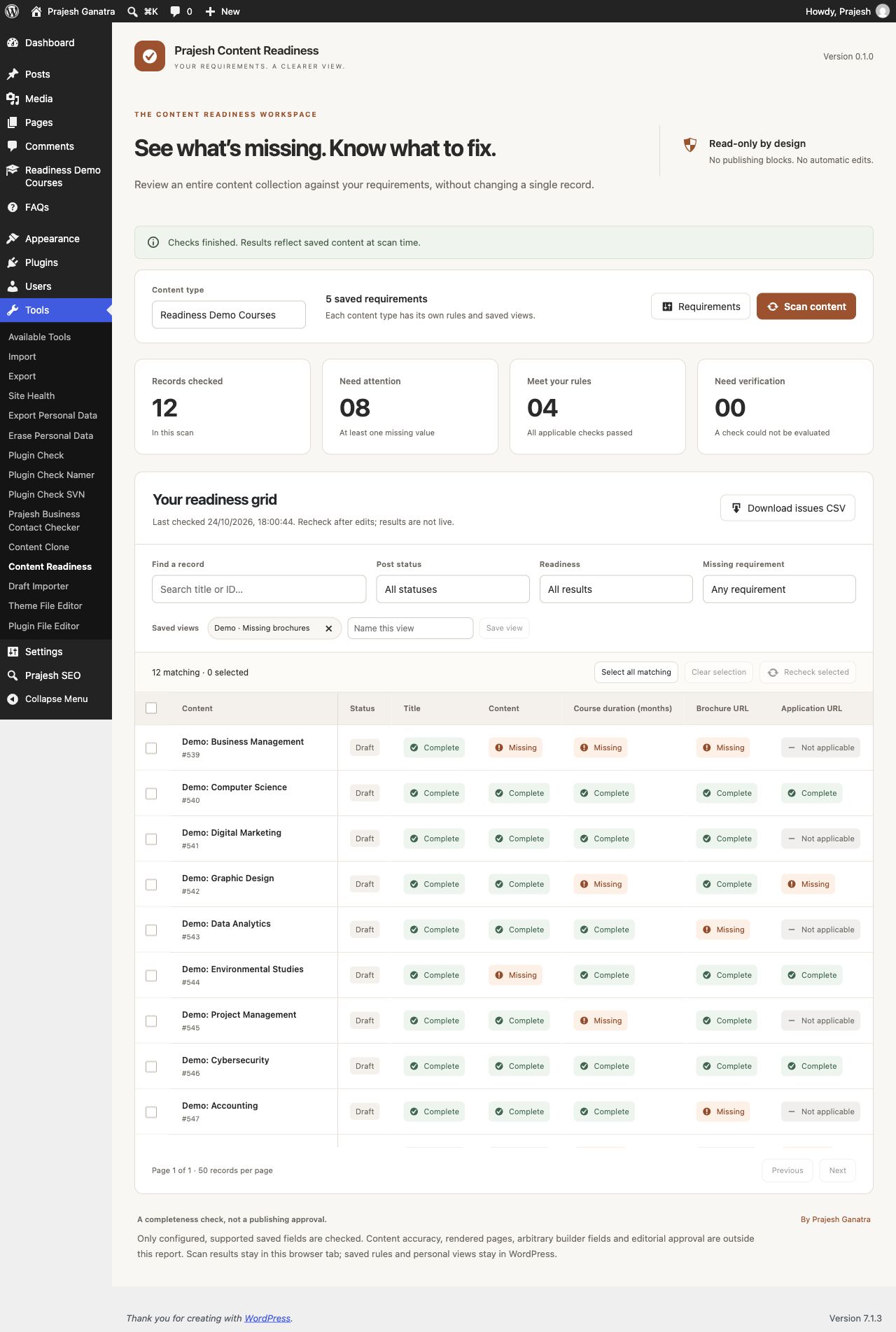
Scan saved content and review the grid. Filter by status, readiness or a missing requirement to find the records that need attention.
- 03
Edit, recheck and share
Open a record in WordPress to make changes, then recheck selected records. Save a useful filter view or download a CSV issues report after a completed scan.
Open Plugins → Add New Plugin, search for “Prajesh Content Readiness”, then install and activate it. Check the requirements above first.
Inside the plugin
See the tools you’ll use.
Before you install
A few useful answers.
Checks configured saved values in supported WordPress fields, registered metadata and supported simple ACF fields. It does not judge content quality, verify remote URLs or block publishing.
Does this change content or prevent publishing?
No. Audits are read-only. You make changes in the normal WordPress editor and decide when content can be published.
Does Complete mean the content is approved?
No. Complete means a saved value meets the configured presence check. It does not assess accuracy, quality, accessibility compliance or editorial approval.
Which custom fields can it check?
It supports public, single-value registered scalar post metadata exposed to the REST API, plus supported top-level simple ACF fields when ACF is installed. Arbitrary metaboxes, private keys, repeaters and complex builder data are outside this audit.
Can editors and authors use it?
Administrators configure the requirements. Editors and authors can audit records they have permission to edit. Personal filter views belong to the user and site.
Does it send content to another service?
No external scanning service, account or tracking is used. Rules and personal views are saved on your site. Scan results remain in the current browser tab and disappear on refresh.
Does a saved URL mean the link works?
No. A URL field can have a saved value while the destination is unavailable. Remote link checks and file availability checks are outside this plugin’s scope.
Ready when you are
Make the next update easier.
Download the current release and find support on WordPress.org.
Requirements reflect the directory catalogue checked 16 November 2026. Check WordPress.org for the latest compatibility information.