
Free WordPress plugin / By Prajesh Ganatra
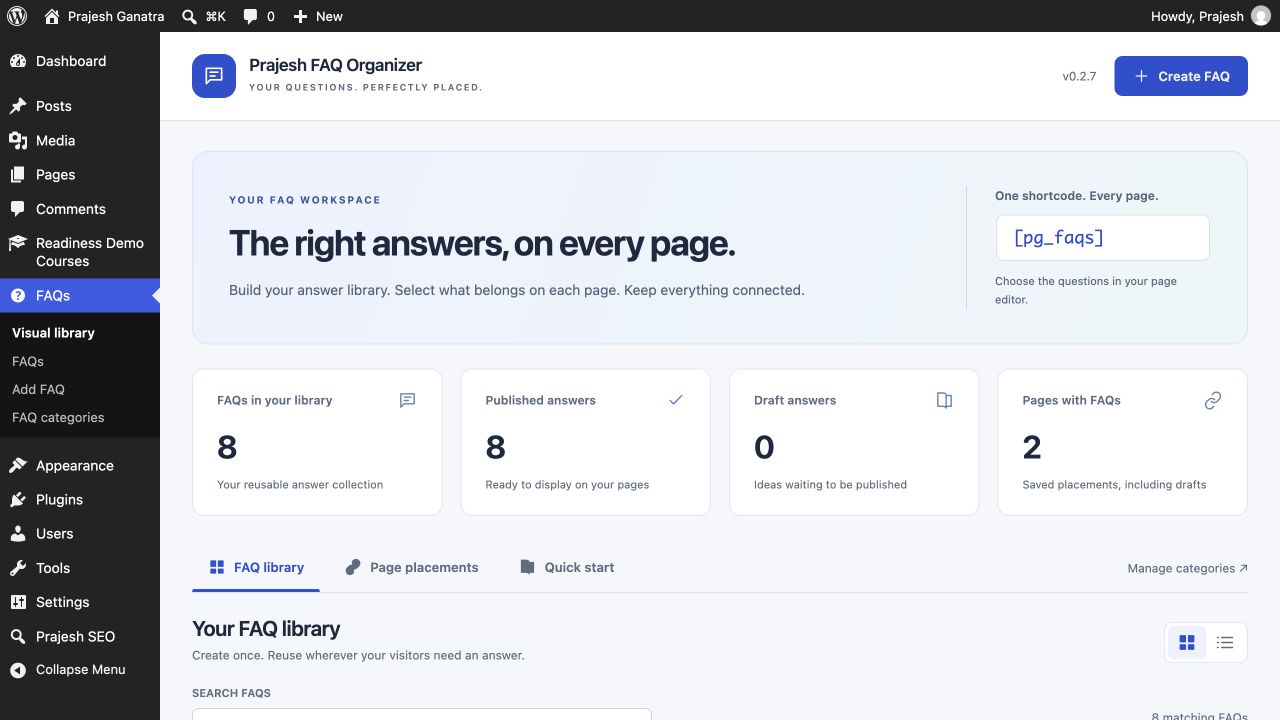
One FAQ library. The right answers on every page.
Manage questions and rich-text answers in one reusable FAQ library. Choose which FAQs appear on each page, arrange their order, and display them with a shortcode.
For schools, businesses and agencies managing FAQs across multiple pages.
A familiar problem
Built around the way
you manage content.
An admissions page needs five questions. Your main FAQ page needs them all. Keep one shared library, then choose what belongs on each page.
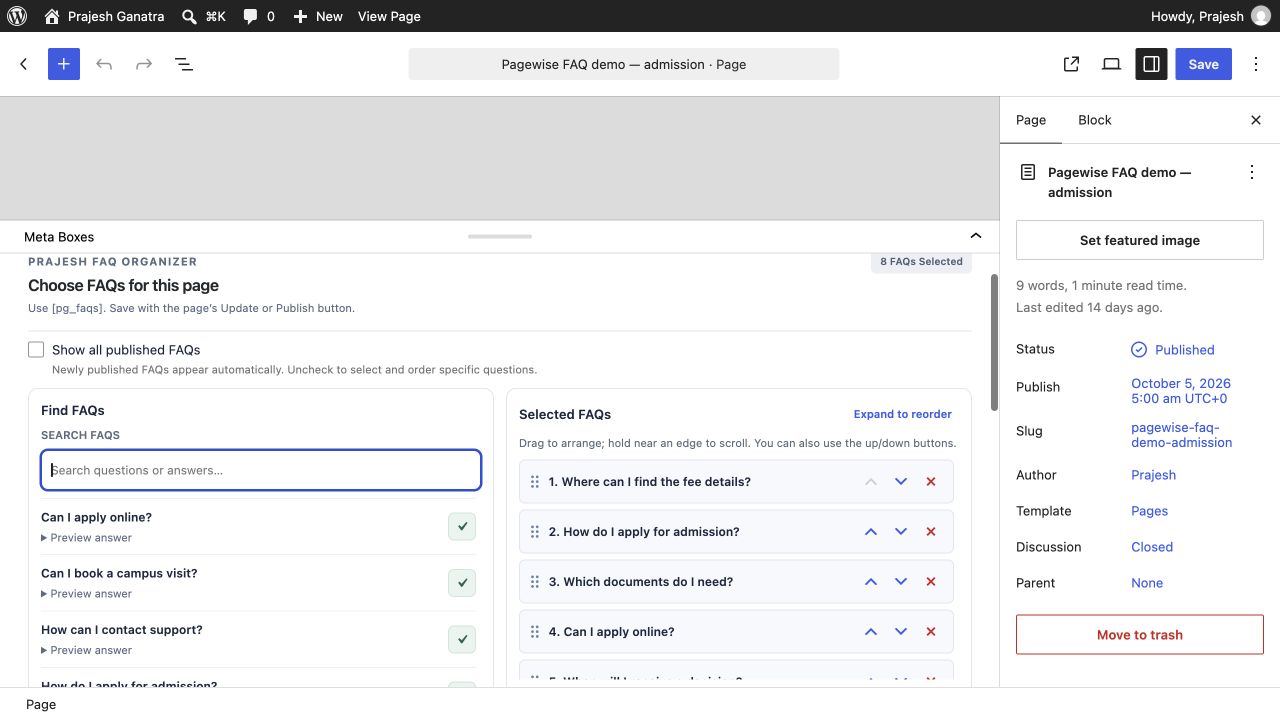
- Find and select questions with a searchable visual picker.
- Set an independent FAQ order for each page.
- Display answers as an accordion or a plain list.
Getting started
A straightforward workflow.
- 01
Build your FAQ library
Create and publish your questions and rich-text answers under FAQs in WordPress.
- 02
Choose the right questions
Add [pg_faqs] to a page. Show all published FAQs, or use the page picker to search, select and arrange specific questions.
- 03
Choose the presentation
Use the accordion layout or [pg_faqs layout="list"] for an open question-and-answer list. Save the page to apply its selection.
Open Plugins → Add New Plugin, search for “Prajesh FAQ Organizer”, then install and activate it. Check the requirements above first.
Inside the plugin
See the tools you’ll use.
Before you install
A few useful answers.
FAQ edits update the shared content across placements. Usage reporting checks supported saved content; category filtering and schema output are not included.
Can different pages show different FAQs?
Yes. Save a separate selection and order on each page. A main FAQ page can show all published questions while an admissions page shows only its selected questions.
Can I use a list on one page and an accordion on another?
Yes. Use [pg_faqs layout="list"] for an open list or [pg_faqs layout="accordion"] for an accordion. Layout is selected in each shortcode.
Do changes update every page using that FAQ?
Yes. Each placement reads the shared FAQ content. If your site uses caching, you may need to clear it after an update.
Does it add FAQ schema or scan every page builder?
No. This release does not add FAQ schema or category filtering. Placement reporting covers supported saved content rather than all builder metadata, widgets or theme templates.
Ready when you are
Make the next update easier.
Download the current release and find support on WordPress.org.
Requirements reflect the directory catalogue checked 16 November 2026. Check WordPress.org for the latest compatibility information.